
Reference

75pakcom on Your Phone — Anytime, Anywhere

The 75pakcom lobby — slots, live tables, crash games, and cricket-focused sports markets — loads straight in your mobile browser, no installation required. Access depends on local law and is available where your region permits.

Mobile browser accessAccount login on the goAvailability by local lawQuick wallet top-upDevice-friendly layout
75pakcom 75pakcom on Your Phone — Anytime, Anywhere

What Devices Work with 75pakcom

Most phones and tablets released in the last three to four years handle the full lobby without issues — here is what to check on your device before your first session.

Browser VersionChrome 100 or later and Safari 15 or later cover the live-stream and crash-game components. If live tables stutter, updating your browser usually fixes it.
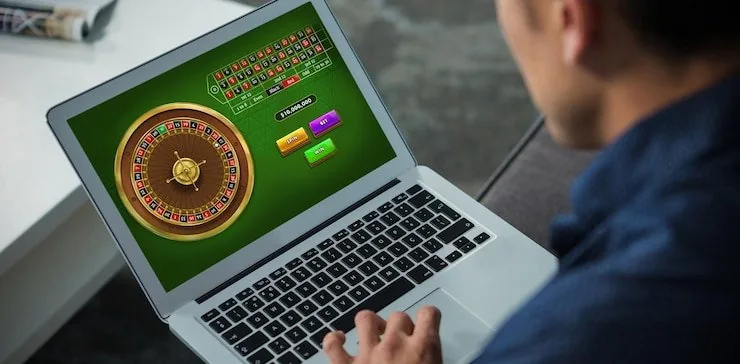
Screen LayoutThe interface is built for screens from 5 inches upward. Portrait and landscape both work; landscape gives more table space during live baccarat and roulette sessions.
Account RequirementsYou need a verified 75pakcom account with a confirmed wallet — JazzCash, Easypaisa, or Raast — before any real-money round is available on mobile.
Checking Supported DevicesLog in on your device and open any game in the lobby. If it loads and the controls respond, your device is compatible. The cashier section confirms which wallets are active on your account.
Connection QualityLive casino tables and crash games like Crash Zone stream at higher bitrates. A stable 4G or Wi-Fi connection keeps the feed smooth; the lobby preview still works on a weaker signal.

Four Things the App Does for You

Speed and comfort — here is what the mobile experience actually changes for your session.

Biometric Sign-In

Face ID or fingerprint login on supported devices means you skip the password screen entirely. One tap and you are at the lobby, ready to pick a table or slot room.

Push Notifications

Get an alert when your JazzCash or Easypaisa deposit reflects in your account balance, or when a live session you follow is about to open on the schedule.

Dark Mode Display

The interface switches to a dark palette automatically on devices set to dark mode, cutting glare during late-session play without any manual toggle needed.

Offline Lobby Preview

The game grid and category tabs load from cached data when your connection dips, so you can browse titles and pick your next game before your signal fully returns.

75pakcom Mobile Access in 3 Steps

Mobile Access in 3 Steps

There is no APK to sideload and no app-store listing to hunt for — the 75pakcom mobile experience runs entirely in your browser. Open your preferred browser on Android or iOS, navigate to 75pakcom, and the site detects your screen size and loads the mobile layout automatically. From there, sign in with your account credentials or complete the registration flow, which takes

under two minutes. Once in, your wallet — JazzCash, Easypaisa, or Raast — is linked to your account, so the next time you top up you just confirm the amount and enter your PIN in your wallet app. If you want a shortcut on your home screen, use your browser's 'Add to Home Screen' option and it will behave like a native

app icon.

  • Open the site in your browser — Navigate to 75pakcom in Chrome, Safari, or any modern mobile browser. The mobile layout loads automatically based on your screen size.
  • Check browser compatibility — Make sure your browser is up to date. The lobby runs on current versions of Chrome and Safari; older browser builds may miss certain live-stream features.
  • Sign in securely — Log in with your account details. Biometric sign-in activates after your first successful password login on compatible Android and iOS devices.
  • Link your wallet and start — Head to the cashier section, confirm your JazzCash, Easypaisa, or Raast details, and your deposit path is set for every session from that point.

75pakcom What the 75pakcom Mobile Experience Adds

What the 75pakcom Mobile Experience Adds

Open 75pakcom in Chrome or Safari on your Android or iOS device and the lobby scales cleanly to your screen — the full slot floor, live baccarat and roulette rooms, and the sportsbook with PSL and international cricket markets all sit in the same place, no switching between apps. The mobile build supports push notifications so you know when a deposit clears

or a live round is about to open. Fingerprint or face unlock handles sign-in in one tap on compatible devices, and a quick-deposit shortcut keeps your JazzCash or Easypaisa funding path two taps from the game you want. Players in Karachi reaching the lobby on a mid-range Android device get the same table layout as desktop.

Common Questions About 75pakcom on Mobile

Straight answers to what people ask most about using 75pakcom on a phone or tablet.

No download needed. The full lobby — slots, live tables, sportsbook — runs in your mobile browser. Add the site to your home screen for quick access if you want an app-like shortcut.

Current versions of Chrome and Safari cover everything including live casino streams. Keep your browser updated and the full feature set, including fingerprint login, stays available.

Yes. The cashier section on mobile works exactly like desktop. Select JazzCash or Easypaisa, confirm the amount, then approve the transfer in your wallet app using your PIN.

The full catalogue is there — Crash Zone, Football FastGoal, Roulette Express, Pakistan Cricket Reels 506, live baccarat rooms and more. A few high-bandwidth live feeds perform better on Wi-Fi.

Sign in once with your password on a compatible device. The site will prompt you to enable biometric login for future sessions. Accept the prompt and face or fingerprint unlock activates.

First update your browser to the latest version. If the stream still drops, switch from mobile data to Wi-Fi. Persistent issues can be raised through the account support channel.
Reference

75pakcom App

Service availability depends on eligible regions and local law. Users should check local rules before opening an account.

Access may be available only where local law permits.